The best apps for traveling
In this article, I’ve tried to list all the most useful travel apps that I use regularly, that I’ve used, or, in some cases, that I simply tested in order to write this article and make it as complete and informative as possible. Some apps are definitely useful, a few I’d even call almost indispensable, while others might be considered unnecessary but are really nice and worth trying. Here you’ll find a video of my all-time favorites (in Italian, but you can turn on the subtitles).
I’ve also tried to split the apps by category to make your life easier in case you’re looking for an app for a specific use, but I encourage you to read the whole article because, as often happens, there are things you didn’t know you needed yet, and that goes for apps too. Enjoy the read!
The best travel apps
- TripIt: Travel Planner (Android, iOS)
- FlightAware (Android, iOS)
- Sygic Travel Maps Offline & Trip Planner (Android, iOS)
- Wanderlog (Android, iOS)
- Visit a City (Android, iOS)
- Google Maps (Android, iOS)
- Organic Maps (Android, iOS)
- Rome2rio (Android, iOS)
- Outdooractive (Android, iOS)
- City Mapper (Android, iOS)
- Polar Steps (Android, iOS)
- Mapstr (Android, iOS)
- Visited (Android, iOS)
- Day One Journal (Android, iOS)
- Travel Spend (Android, iOS)
- Splitwise (Android, iOS)
- Showaround (Android, iOS)
- Couchsurfing (Android, iOS)
- Google Translate (Android, iOS)
- WordReference (Android, iOS)
- Duolingo (Android, iOS)
- XE Currency Converter (Android, iOS)
- Unit Converter (Android)
- PackPoint (Android, iOS)
- Hola VPN (Android)
- Mobile Banking (List)
- Snapseed (Android, iOS)
- Instapaper (Android, iOS)
The best apps for planning a trip
In this section, you’ll find all the apps dedicated to organizing and planning a trip, but also apps that let you record, track, or simply keep all your travel reservations organized.
TripIt: Travel Planner
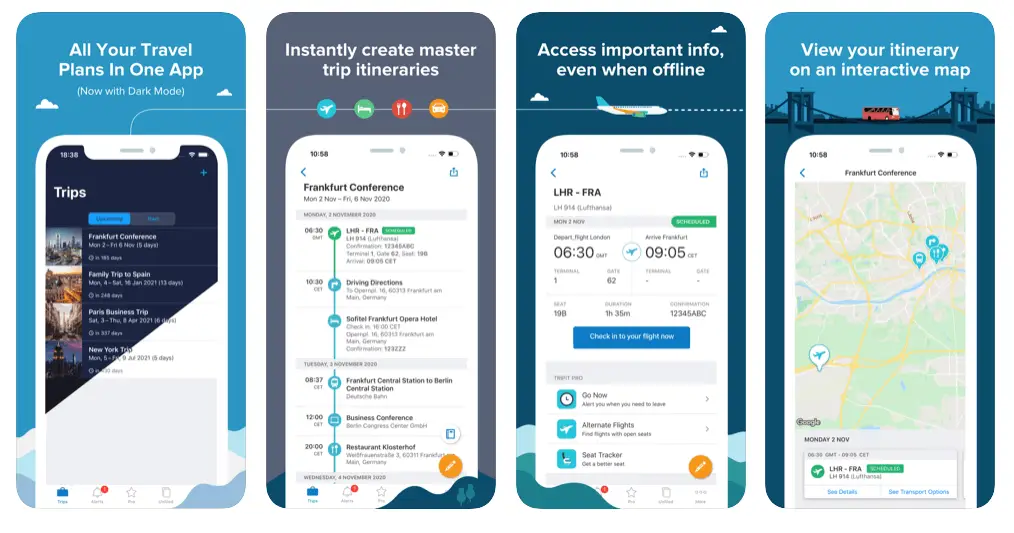
This is probably the industry’s most popular app. To organize your reservations, simply forward the emails you receive to the email address provided or connect your inbox directly. The app will automatically display a detailed itinerary based on your reservations, including information regarding flight gates, rental car pickup times, hotel check-ins, and even restaurant reservations if made online.
You can also synchronize the app with your calendar (it supports Google Calendar, Apple iCal, Microsoft Outlook, and many others) so you can also keep any appointments or whatever else organized within your travel itinerary.
The app offers all of this for free, but if you’re interested, there’s also a pro version ($49 per year) that gives you access to additional features such as flight status, check-in reminders, and more, which might be interesting especially for business travelers, but as I said, the free version should be more than enough for most people.
FlightAware
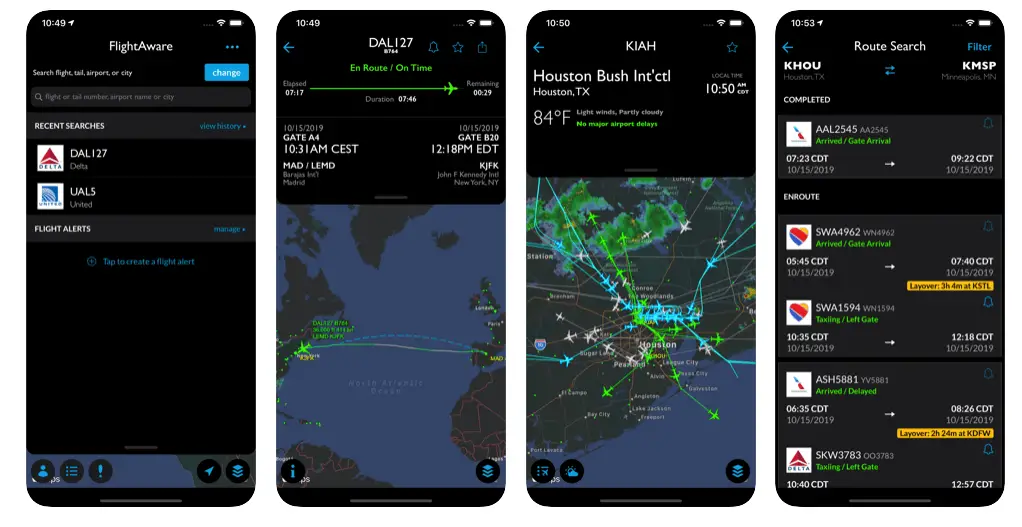
If all you’re looking for is an app that only lets you track your flight and get notifications about delays, cancellations, gates, and whatnot, then FlightAware does exactly that. Two other popular apps in this niche are Flightradar24 (Android, iOS) and The Flight Tracker (Android, iOS).
Sygic Travel Maps Offline & Trip Planner
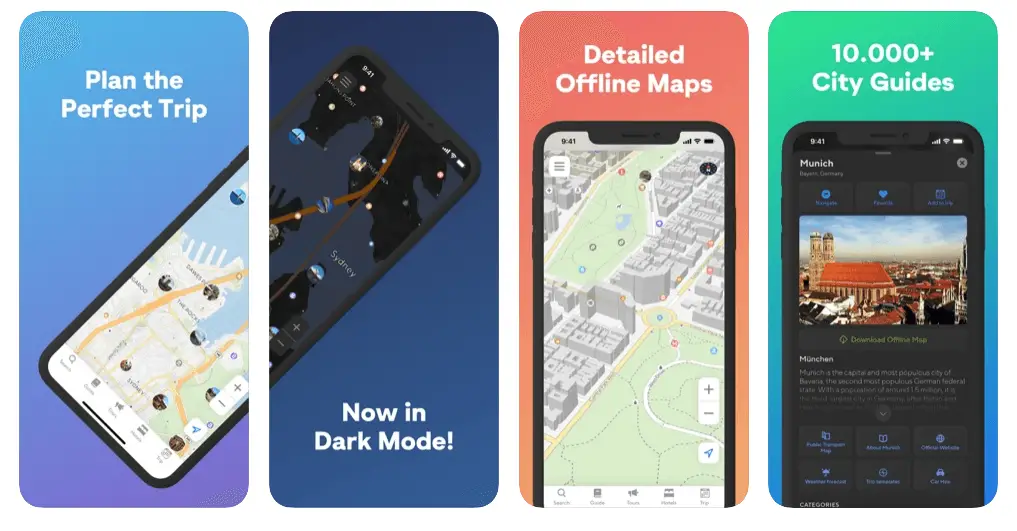
It offers a wide selection of things to do and see, lets you create a day-by-day itinerary, and the app itself takes travel times into account, so you get a clear idea of how demanding your planned days are, especially when you’re in a city and plan to walk from one point of interest to the next.
The app also works as an offline map, intuitively showing the main points of interest, but also bars, restaurants, banks, and other businesses that might come in handy. Unfortunately, map features such as offline access and the photos and details of the various points of interest are only available in the paid version, which costs €3.99 a month, €14.99 a year, or €19.99 for lifetime access, so you could try the paid version for a month and, if you like it, then buy lifetime access.
Wanderlog
Since TripCase closed (Sabre shut the app down for good on 1 April 2025), a solid alternative is Wanderlog. It lets you keep your flights, accommodation and other bookings in one place, and you can import them just by forwarding the confirmation emails, while also planning your itinerary day by day on a map with all the places you want to visit.
The app is free, while some features, like offline access and connecting your Gmail directly, are part of the paid Pro version.
Visit a City
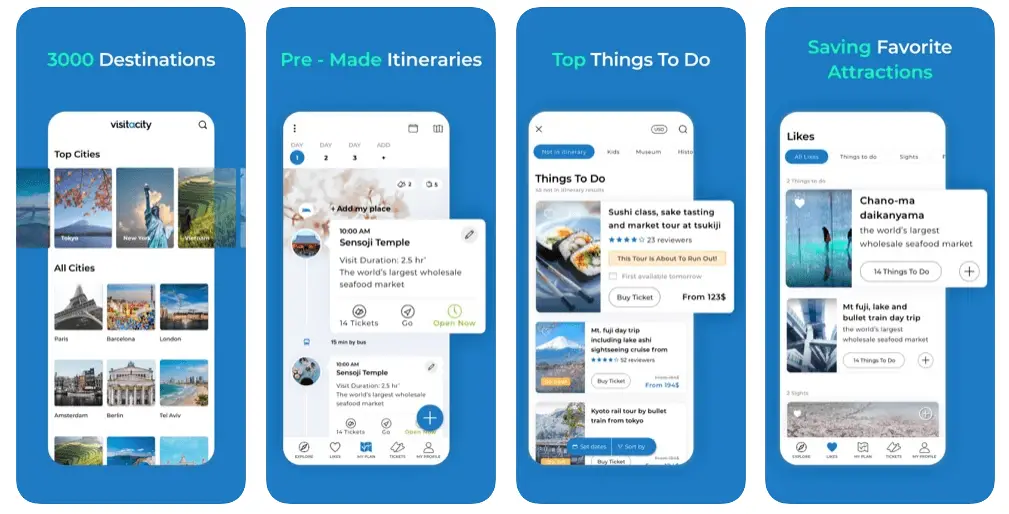
A great app for anyone who wants some ideas for planning a city itinerary. Once you’ve selected a destination, it suggests extremely detailed itineraries of one or more days, with various options ranging from purely cultural trips to shopping.
Additionally, the app provides travel times between destinations, estimated visit durations, and the option to purchase tickets, book an Uber, and more, directly within the app.
Once selected, the itineraries can still be customized to your preferences: you can add restaurants, other points of interest (you can explore nearby places that aren’t already part of the itinerary), and hotel bookings, and everything is then displayed in a really nice, practical interface that lets you follow a proper action plan for the day.
The best navigation apps
In this section, you’ll find all the apps that simply help you get around, whether you’re in a city, in a car, or on the trails. Here are the right apps for every situation.
Google Maps
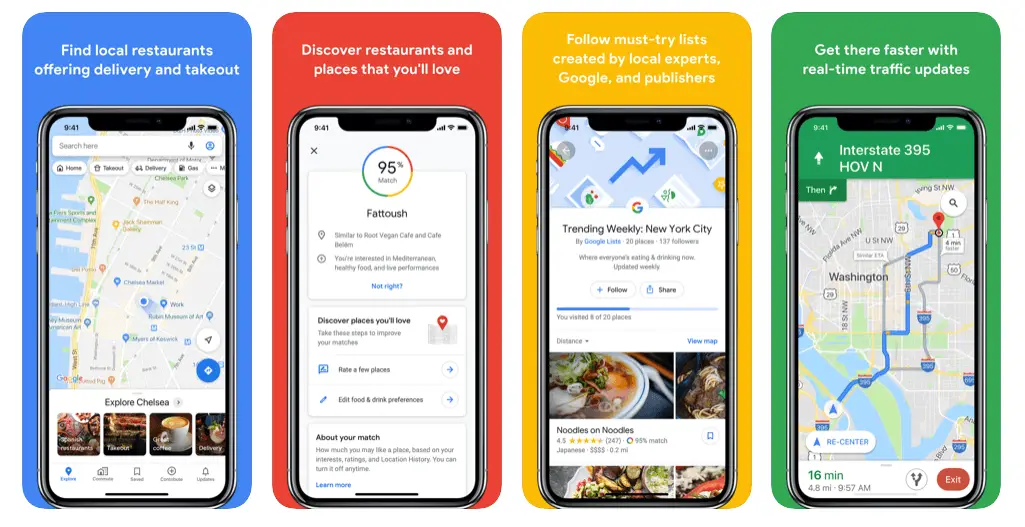
I strongly doubt it needs any introduction: Google Maps is without a doubt the navigation app par excellence, with extremely detailed and up-to-date information. It’s super useful both in the car and in cities, where the app is very often integrated with local public transport, providing a unique navigation experience.
What some people don’t know is that you can also save portions of maps completely offline, so if you’re abroad without a data connection, you can still use the app. To do it, just open the menu in the app and select “Offline maps”; from there, the procedure is really simple.
Organic Maps
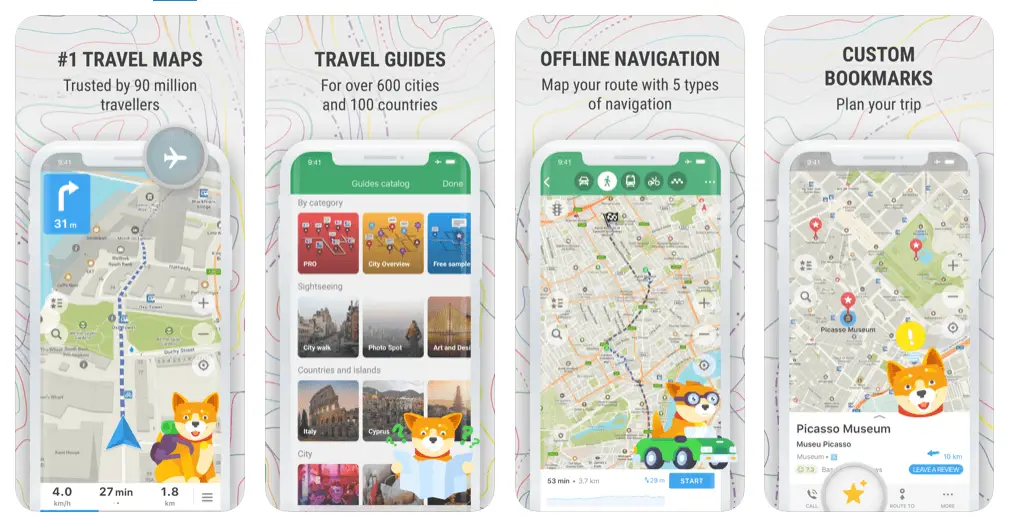
N.B. Until a few years ago, I recommended Maps.me in this section, but over time the app introduced a series of limitations for those who don’t want to pay for the premium version (eventually even a limit on the number of maps you could keep offline). That’s why today I strongly recommend Organic Maps: it’s free, has no ads, works offline, and was created by some of the original Maps.me developers.
Even though Google Maps lets you download portions of maps offline, when it comes to traveling abroad, with or without a data connection, most of the time I find myself using Organic Maps, even if in some cases it isn’t as detailed and up to date as Google Maps. But when it comes to remote areas, and above all trails, there’s absolutely no comparison.
This app also lets you download entire countries or regions completely offline, and the maps don’t expire, unlike Google Maps. The maps are OpenStreetMap’s, updated by a community of volunteers, which means there are often trails, bus stops, springs, etc. that you won’t find on Google Maps. The bookmark system is really well done: it lets you take notes, assign different colors, and even import a “set” of bookmarks or a route (a KML, KMZ, or GPX file) created by someone else, for example walking itineraries, trekking tracks downloaded from other apps, and much more.
If you’re backpacking, this app is, in my opinion, a must-have, and actually, I’ll go even further: if I could choose only one app to travel with, Organic Maps would without a doubt be my choice.
Rome2rio
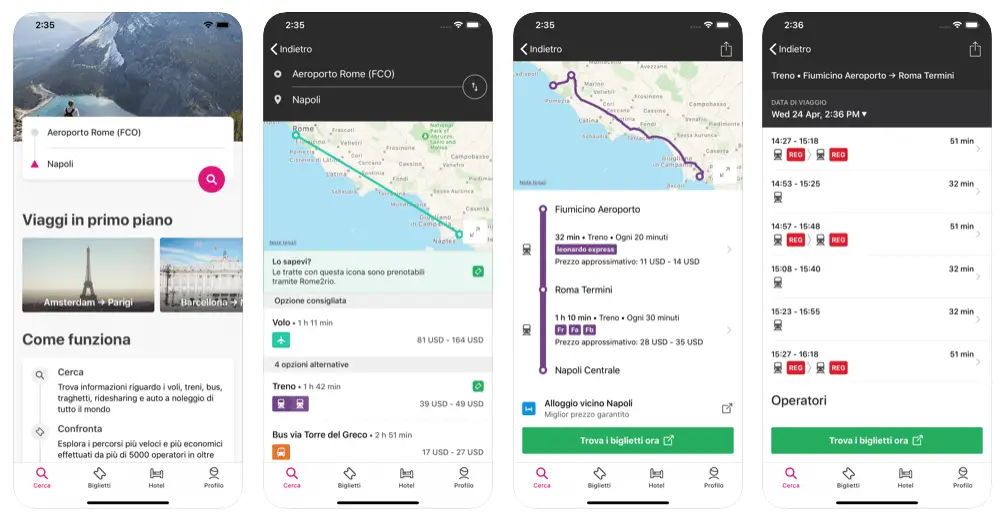
Long story short, given a starting point and a destination, the app searches all possible means of transportation (planes, trains, subways, buses, ferries, and taxis) and shows you the options for getting there, complete with cost and time estimates.
The app is interesting and definitely worth trying, but personally, I find the data unreliable, especially when it comes to developing countries, where information is often missing or inaccurate. Since I mainly travel in these countries, I’ve completely stopped using it, but it’s still the best option for anyone looking for a similar service.
Outdooractive
View Ranger no longer exists: it was taken over by Outdooractive, which shut the app down and invited its users to switch to its own, and today Outdooractive is the most natural alternative for anyone looking for something more than Organic Maps for hiking. It offers detailed topographic maps, loads of ready-made routes, and lets you plan your own itineraries and record your outings with GPS.
The basic version is free, while saving maps offline and accessing the best topographic maps require the Pro subscription, but it’s still a great app for anyone looking for this kind of service without relying on old paper maps.
Other similar alternatives include Wikiloc (Android, iOS) and AllTrails (Android, iOS). In this case too, unfortunately, you need a subscription to access the offline maps. My advice is to try them all and see which one best meets your needs before investing in the paid version.
City Mapper
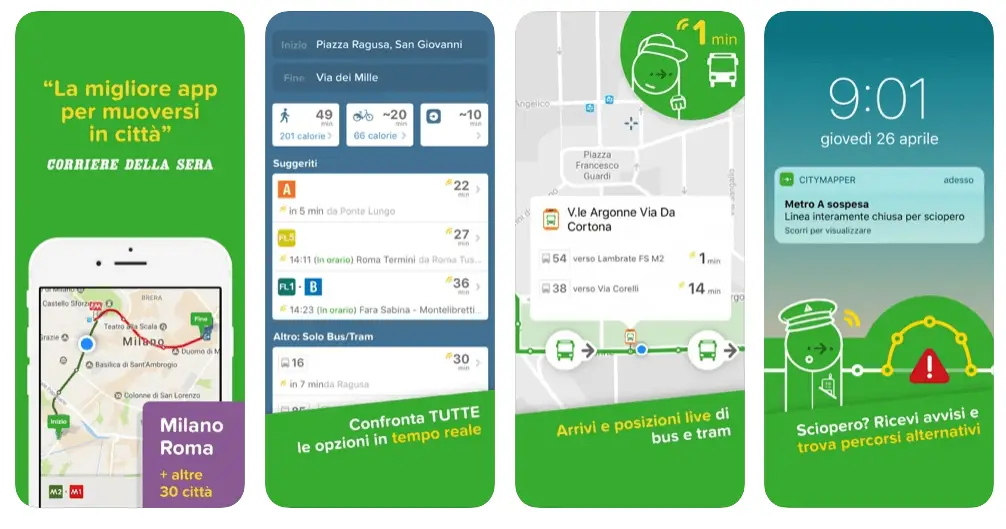
At the opposite extreme from View Ranger, we find an app like Citymapper, which focuses exclusively on giving directions for getting around cities, more precisely by public transport. Admittedly, Google Maps is just as good and probably has an even bigger database, but City Mapper’s interface is really nice, and in the many cities where it’s available, it’s a pleasure to use.
The best apps for logging and remembering your trips
In this section, you’ll find all the apps that help you track and record your trips, as well as share them with the rest of the world.
Polar Steps
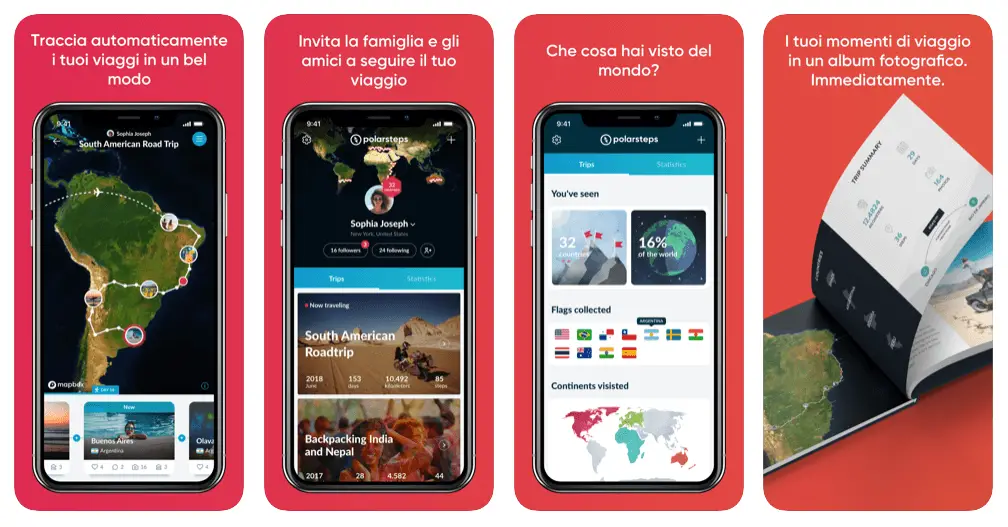
In my opinion, this is the nicest app around for doing what I just described. The app creates a travel itinerary that’s really nice to look at, a sort of virtual travel diary with photos and destinations that you can share with family and friends, who can then follow your steps in real time.
The app keeps track of your movements and shows interesting statistics such as kilometers covered, countries visited, and trip duration, even without an internet connection, because it syncs as soon as you’re back online. I like the idea of being able to print a photo album at the end of the trip.
Mapstr
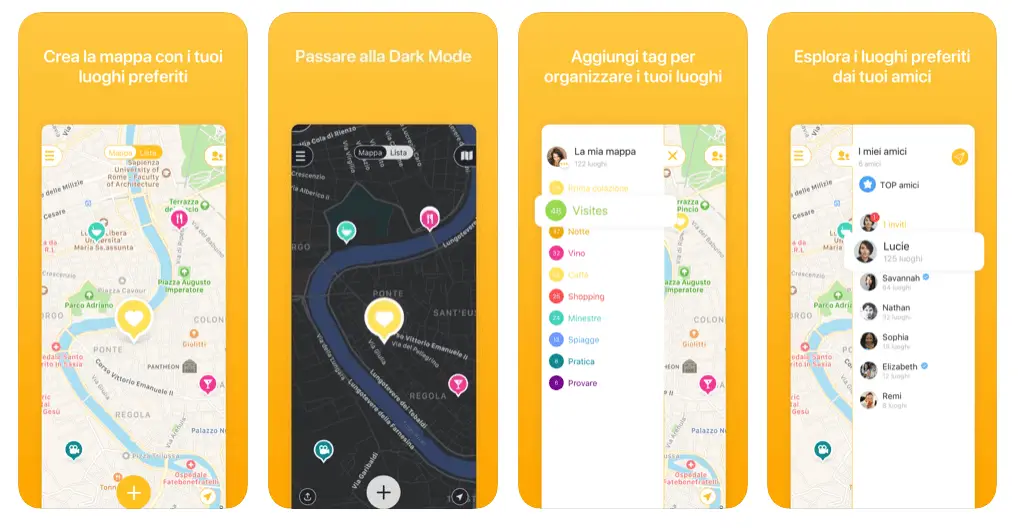
This app lets you create a sort of personalized map, also accessible offline, where you can add, “pin,” and even comment on and add photos of all the places you’ve visited, creating proper virtual itineraries that you can then share with family, friends, or other travelers.
You can also organize saved places with handy tags. For a lot of these features, I just use Organic Maps, but the app is still absolutely worth it and definitely has some extras, like the ability to save photos and integration with other apps such as Google Maps, Uber, Waze, and many more.
Visited
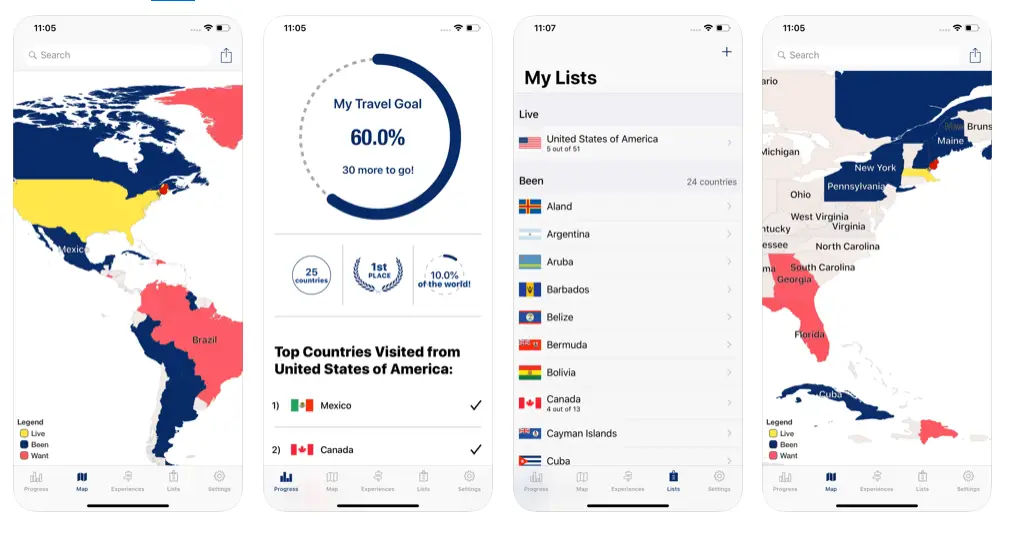
If you’re simply looking for an app that lets you keep track of the countries you’ve visited or want to visit, then Visited can be a great option. With a simple, clean interface, the app shows those countries on a world map, plus a few statistics, such as the percentage of the world’s countries you’ve visited. Nothing exceptional, but if that’s what you’re looking for, this app is exactly what you need.
Day One Journal
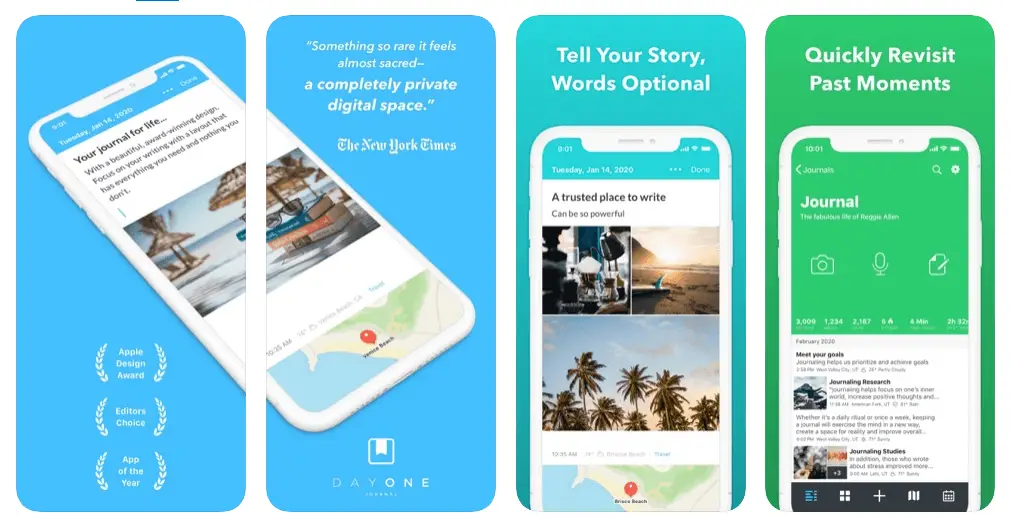
If instead you’re looking for an app to replace the classic paper travel diary, then Day One is probably the best one on the market. Unfortunately, some features are limited in the free version, but it’s still a great alternative. For a more minimalist version of Day One Journal, check out Journey (Android, iOS).
The best apps for managing and splitting travel expenses
In this section, you’ll find all the apps that help you keep track of your expenses while you’re traveling. They’re particularly useful if you’re on a tight budget and don’t have much discipline: having a visual and numerical reference can definitely help, and once you’re back home, you’ll have an extremely precise idea of how much the trip cost you.
Travel Spend

If you’re a backpacker, this is definitely one of the best options: the app works completely offline too and automatically converts your expenses into the currency you prefer. The interface is really nice, offering charts and statistics on your daily budget, which categories your money goes into, and much more. The app is completely free, but if you want to get rid of the ads and get other features, such as splitting expenses with other travelers, you need the paid version.
Unfortunately, the app isn’t available in Italian at the moment, so if you need an app in a language Travel Spend doesn’t support, check out Spendee (Android, iOS).
Splitwise
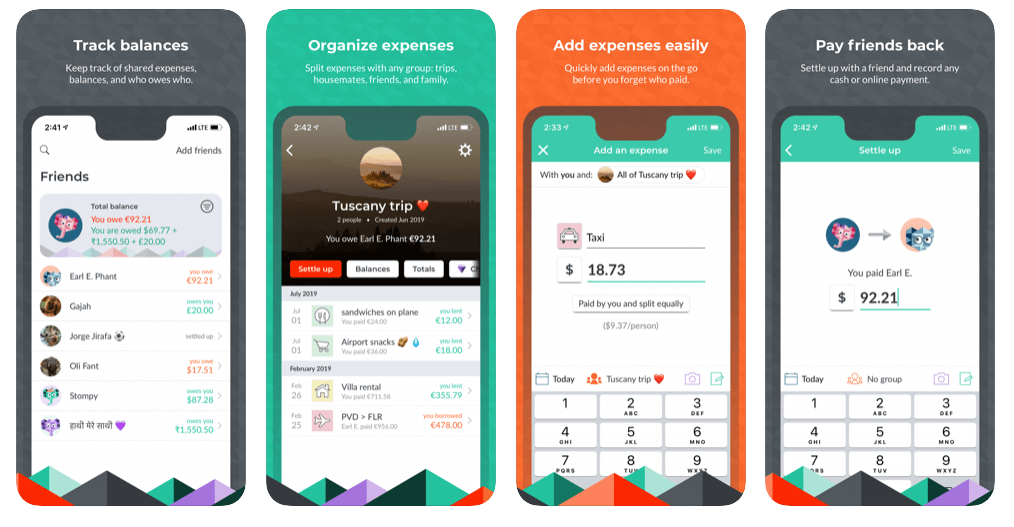
If instead you’re looking for an app that lets you intuitively keep track of expenses and then split them with your travel companions, roommates, or any group of people, then Splitwise might be just what you need.
The app is really well structured and easy to use: once you’ve created a “group,” you just invite the other people, and as people add what they’ve spent, the app automatically calculates who owes how much money to whom. Once the trip is over, settling up is a breeze; my sister called it “terrific.”
The best apps for interacting with locals and travelers
If you want to travel with company, make some friends, meet locals, or maybe find other travelers to share your trip with, these apps are a good place to start.
Showaround
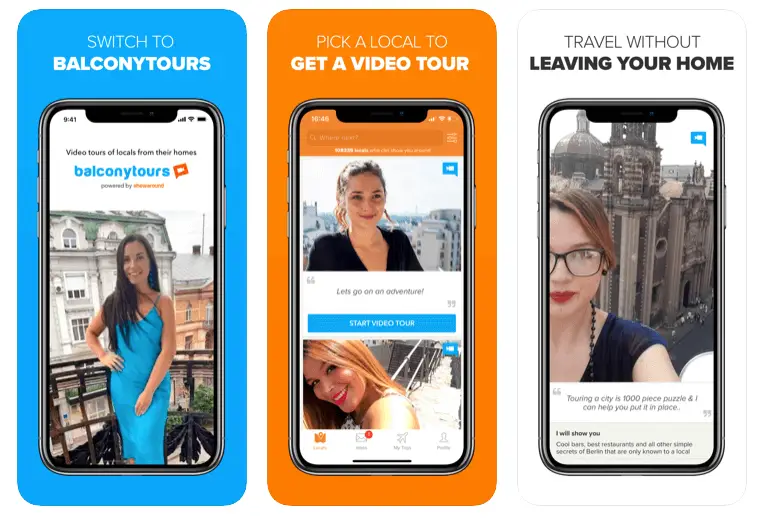
This app lets you book proper tours with locals who, through the platform, offer their time in exchange for a small fee or, in some cases, for free. In their profiles, you can find the languages they speak, their interests, and much more, and of course, you can also share your own expectations so the experience can be organized as well as possible.
Facebook Groups
Technically, it’s not a real app, but Facebook groups are a perfect meeting place for travelers. They often have thousands of members who are traveling in the region at that moment or who can give you information, and these groups often include locals who can’t wait to interact with travelers.
For example, if you post something like “Hi! I’m in Hanoi, anyone want to meet up for a coffee?” in the Backpackers Vietnam group, you can rest assured someone will reply, and the great thing is that these groups exist for practically every country, region, or even city.
Couchsurfing
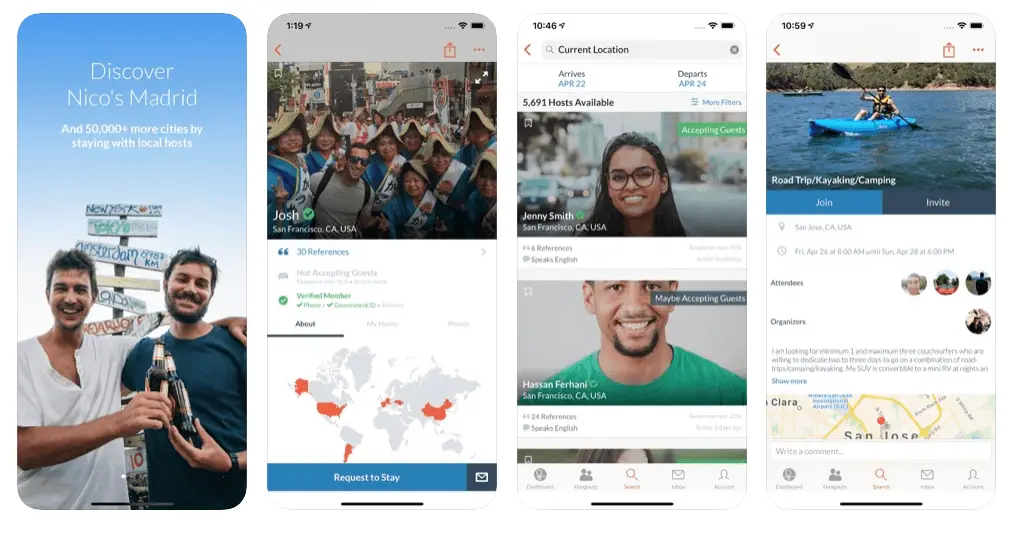
This section couldn’t end without including one of those platforms that, for many people, have revolutionized the way they travel. Couchsurfing basically lets you be hosted for free by locals, and many of these “hosts” are also more than happy to immerse you in the local culture and show you what the city has to offer. With a community of over 15 million users and hosts in over 200,000 cities, your travel companion is never too far away.
The best translation apps
In this section, you’ll find all the apps that help you with what, for many people, is the reason for not traveling abroad independently: language.
Google Translate
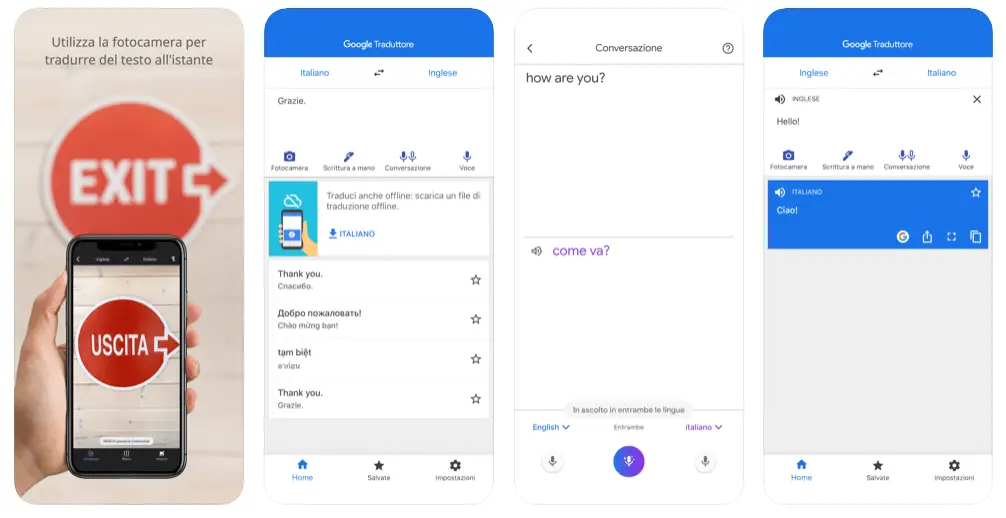
I doubt it’s a surprise to see Google Translate in this category. What some people don’t know, though, are the many features the app offers, including the ability to download the dictionaries of as many as 59 languages offline, instant translation of text and images by simply pointing the camera, real-time translation of a conversation, and even the ability to draw characters instead of writing them. A true Swiss Army knife of languages.
WordReference 
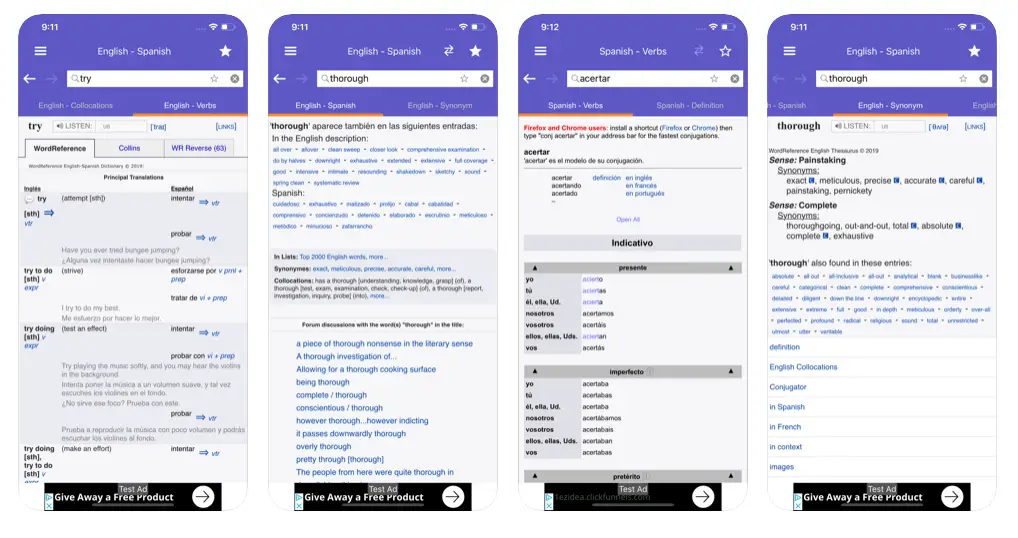
Most of the time, Google Translate does its job, but when it comes to expressions, words that can take on different meanings depending on the context, or if you simply want practical examples of how to use a particular word, then WordReference is, in my opinion, the best app for it. Unfortunately, the app only works when you’re connected to the internet. If you’re looking for something similar that also works offline, but only for Italian and English, check out Italian English Dictionary (Android, iOS).
Duolingo

If, instead of relying on a dictionary, you want to improve a foreign language or simply learn the basics so you can interact with locals, Duolingo lets you learn more than 35 languages completely for free, with quick, fun lessons right from your smartphone. Unfortunately, the app recently introduced ads in the free version to make its development sustainable; of course, you can upgrade for an ad-free experience and also download some lessons offline.
If you want something more structured, check out Babbel. There’s no free version, but you can use the trial to figure out whether it’s worth paying for the subscription. In this case, the app also works offline, which is really handy, especially when traveling.
Other useful travel apps
In this section, you’ll find a list of apps that basically don’t belong to any of the previous categories, but can definitely come in handy.
XE Currency Converter
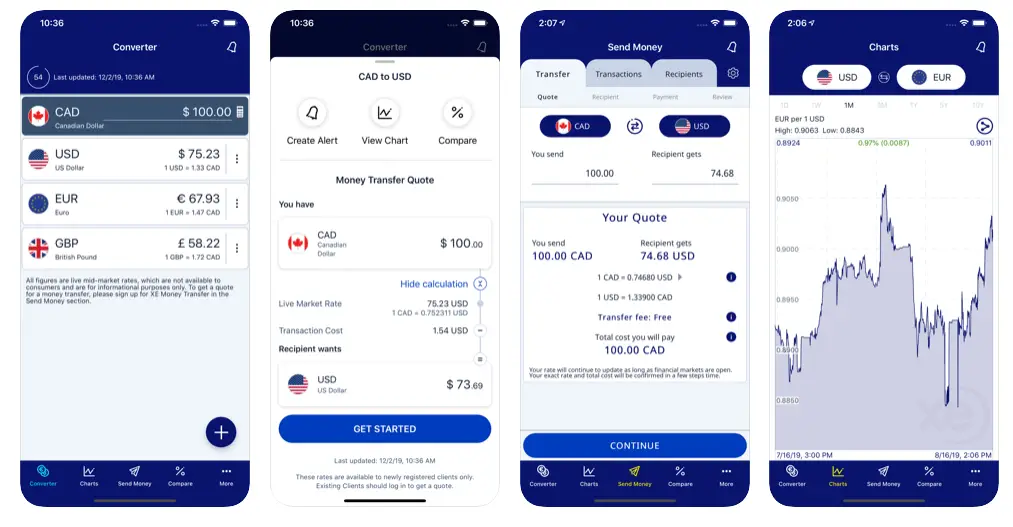
Of all the currency conversion apps I’ve tried, this is my favorite. The interface is easy and intuitive to use, the currencies saved as favorites are shown on the dashboard, it works offline, there are charts of exchange rate trends, and the keypad for entering amounts also works as a calculator. What more could you need?
Unit Converter
Staying on the topic of conversions, when you travel, you realize that not everyone uses the same units of measurement, and you often find yourself confused, to say the least. This app, which also works perfectly offline, lets you convert any unit of measure you might need. My app of choice is available exclusively for Android, but if you use iOS this seems to be a great alternative.
PackPoint
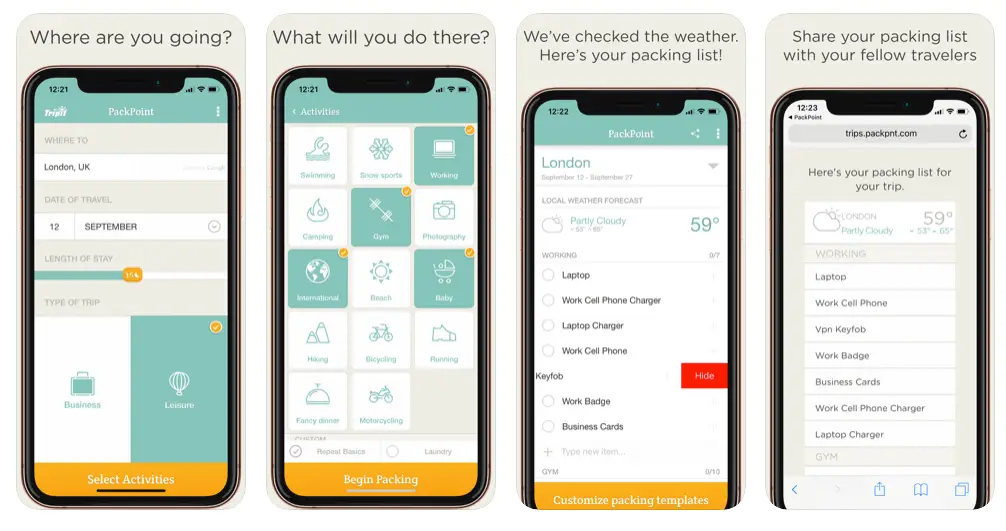
A really interesting idea for anyone who struggles to pack before leaving. Once you enter details such as destination, trip length, activities, and weather, the app gives you a checklist of everything you’ll need to bring with you. Personally, I refer to my list before leaving on a trip, but the idea is still interesting, give it a try!
Hola VPN
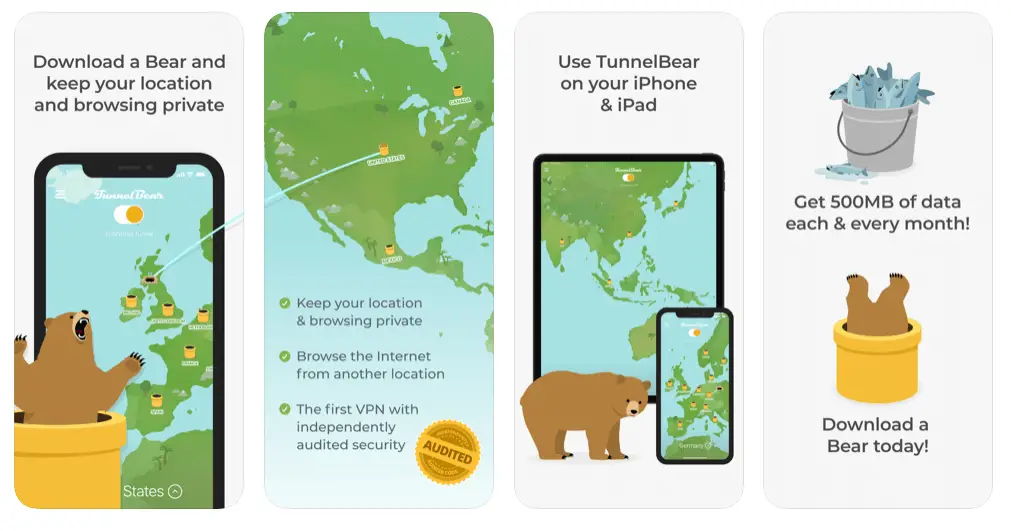
If you want to access certain geo-restricted services while you’re abroad (like the streaming services you use at home), sites censored in countries like China, or simply want to protect your privacy when connecting from public networks, then a VPN is what you need.
A VPN basically acts as an intermediary between the site/service you want to reach and whoever provides your internet access (your provider), so neither party (the site/service or the provider) can tell where the data in question actually ends up or comes from. Personally, I’ve always used Hola VPN the few times I’ve needed one; the speed isn’t spectacular, but on Android it’s free and more than enough for what I use it for. Unfortunately, on iOS it’s paid, so if you’re looking for a free app, check out Tunnel Bear: the first 500 MB each month are free. If you need a lot of traffic, check out NordVPN, which offers some of the cheapest subscriptions on the market.
Mobile Banking
I think having a bank with a good app is essential when traveling abroad, because besides being able to do practically any operation directly from your smartphone, you can often block the cards linked to your account with a simple click, even choosing whether to block only online payments, cash withdrawals, or in-store card terminal payments. This last option is particularly useful in case of theft, or if you want to temporarily block only online payments because your card details were stolen from some website, while continuing to use the card exclusively to withdraw cash safely.
If you want to read an article about the best accounts for traveling, check out this page.
Snapseed
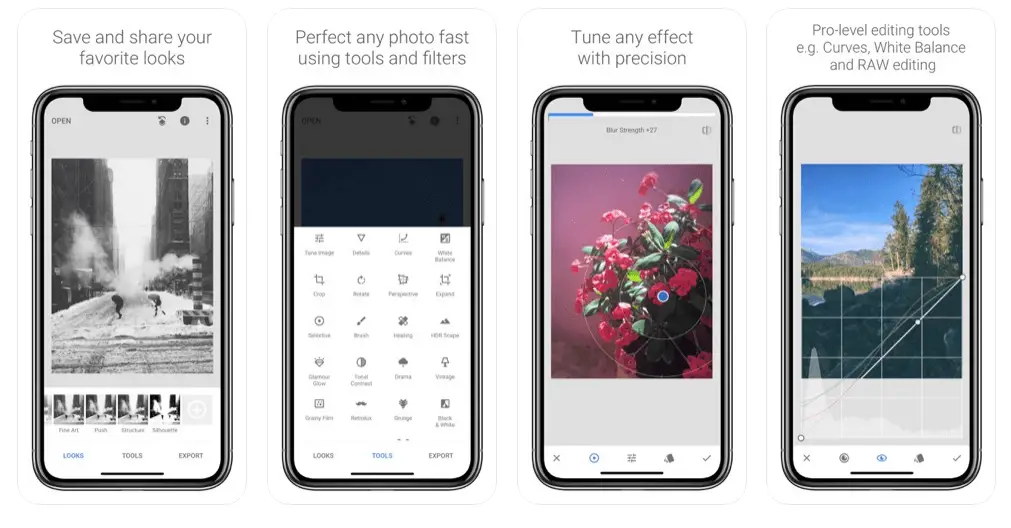
When it comes to editing your photos directly from your phone, Snapseed is my favorite app. The features are professional-level, but at the same time the controls are really easy and intuitive; it also lets you work with RAW files, and it’s all completely free. Perfect for a few quick edits on the go!
Instapaper
Unfortunately, Mozilla shut down Pocket on 8 July 2025, and the best alternative today is Instapaper, which does basically the same thing: it saves any article or web page so you can read it later, even offline, in a clean version without ads or web formatting. This app is cross-platform too, so you can save articles from your PC (there’s also a Google Chrome extension) and then read them on your smartphone, or vice versa.
The basic version is free, while extra features like searching your saved articles and unlimited notes are part of the paid Premium version.
In conclusion, for every app that made it to this list, there are probably at least a couple, if not dozens, of great alternatives. Listing them all is virtually impossible. However, if you have any nice apps to recommend that I haven’t listed, I’m more than happy to take a look at them and test them to improve the article. Leave a comment below!
Are you planning a trip? Check out these posts:
Which travel insurance to choose
Which travel backpack to choose
Since I no longer run ads, if you found this article helpful, please consider purchasing your travel insurance through one of the links on this site. Doing so supports my work at no additional cost to you. For EU and UK residents, I recommend True Traveller. For everyone else, I recommend HeyMondo, which offers a 5% discount. Thank you for your support!
For donations/pizzas and virtual beers 🙂
Did you like the post? Pin it!